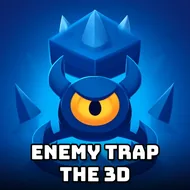
Enemy Trap The 3D
Instructions:
Mouse click or tap to playDescription
How To Play Enemy Trap The 3D
Key Combinations
- Click or tap on the blocks to remove them and guide the enemy's path.
- Study the layout before making a move, since one wrong tile can undo everything.
- Grab coins scattered around each stage while you plan your route.
- Use collected coins to unlock new characters between levels.
- Watch the enemy's movement pattern closely, it usually gives away where it's headed next.
There's no story dump here, no cutscenes, just a little wooden-block arena and a wandering enemy that has no idea it's about to get boxed in. The atmosphere leans playful rather than tense, all clean low-poly shapes and bright colors, but don't let that fool you into thinking it's a mindless clicker. Each level drops that same enemy into a slightly trickier maze of removable platforms, and it's on you to figure out which pieces to knock away so it wanders itself right into a corner with nowhere left to step.
Features
The whole thing runs on a single input, one click or tap, and yet the puzzles built around that click get surprisingly layered the deeper you go. Early stages are basically warm-ups, a handful of tiles and an enemy that practically traps itself, but the difficulty ramps up fast once branching paths and dead ends start stacking up. Coins picked up mid-level aren't just for show either, they unlock extra characters, which gives you a reason to replay earlier stages instead of just barreling forward. Built in Unity3D and running straight through WebGL, it loads quick and doesn't ask much of your browser, so there's no download hassle standing between you and the next puzzle. The camera angle keeps everything readable in three dimensions, letting you actually see the trap forming instead of guessing blind. It's the kind of game you tell yourself you'll play for five minutes, and then suddenly you're three levels deeper trying to outthink a block-hopping enemy that really shouldn't be this stubborn.